(Set as Homepage)(Add to Favorites)

English 简体中文 繁體中文 日本語 Deutsch 한국 사람 بالعربية TÜRKÇE português คนไทย Français

 找回密码
 Register Now
查看: 11793|回复: 0

[PC Version] How to publish articles and how to post advertising articles.

[复制链接]

15

主题

9

回帖

15

积分

Admin

积分
15
发表于 2026-07-28 | 显示全部楼层 |阅读模式
How to publish articles and how to post advertising articles.
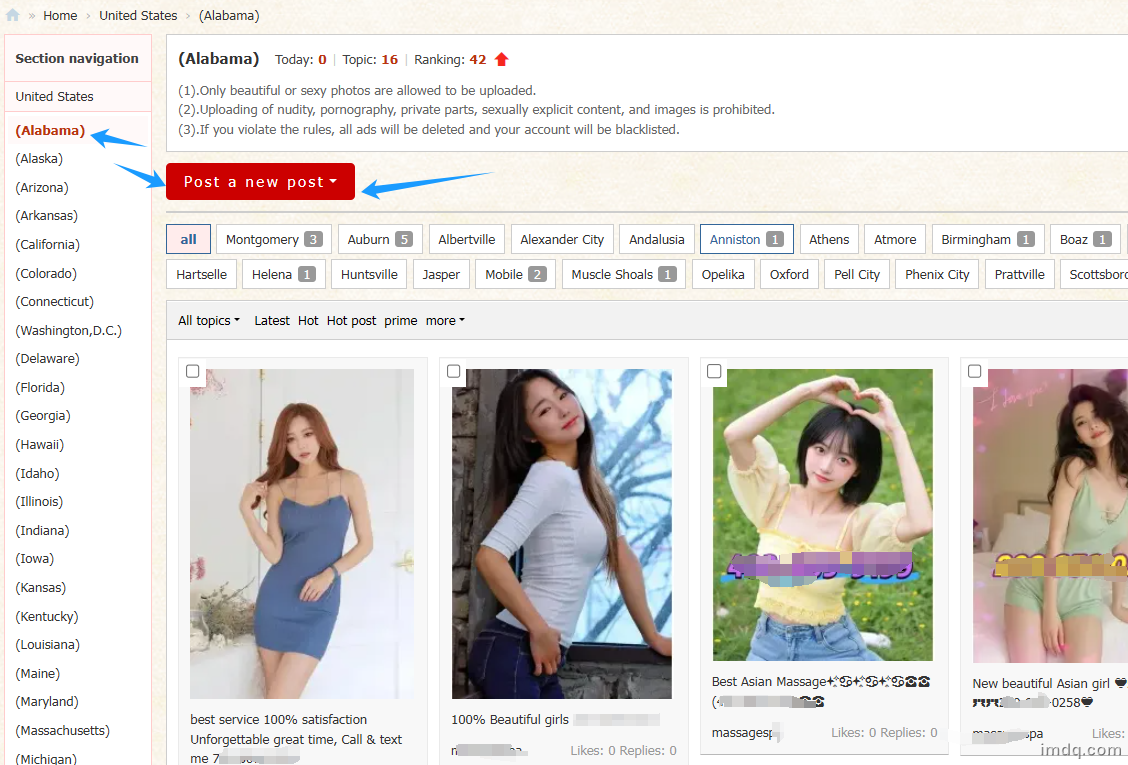
1.Open the official website homepage.
2.Come into USA States Section.
3.Click-[Post a new post]
(As shown)
image.png
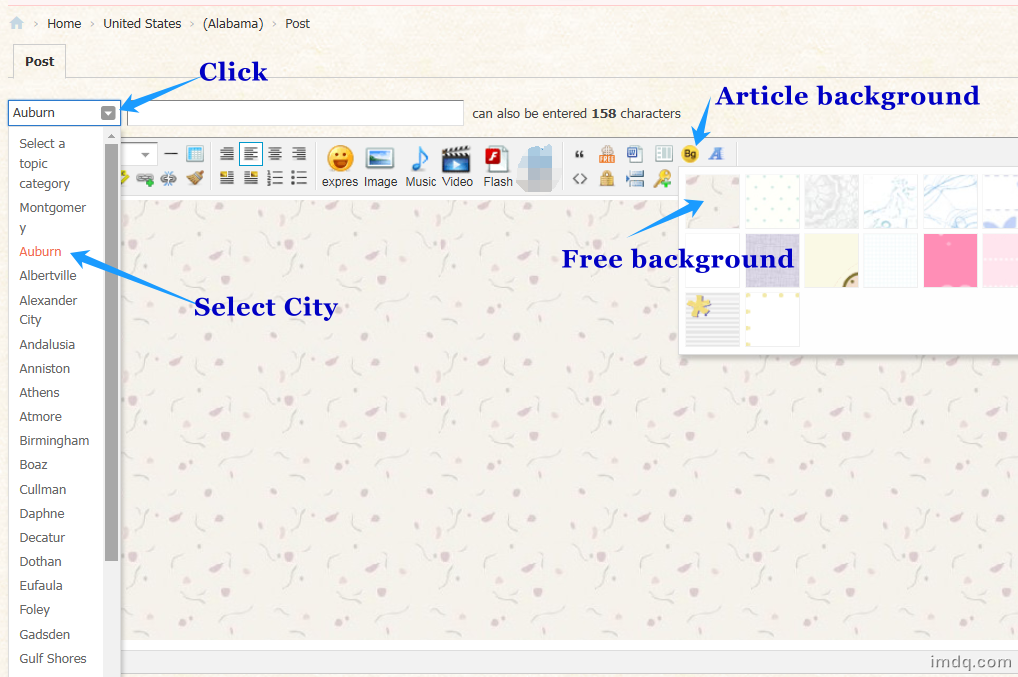
4.Come into Publish Page.
You can choose to add background.
(As shown)
image.png

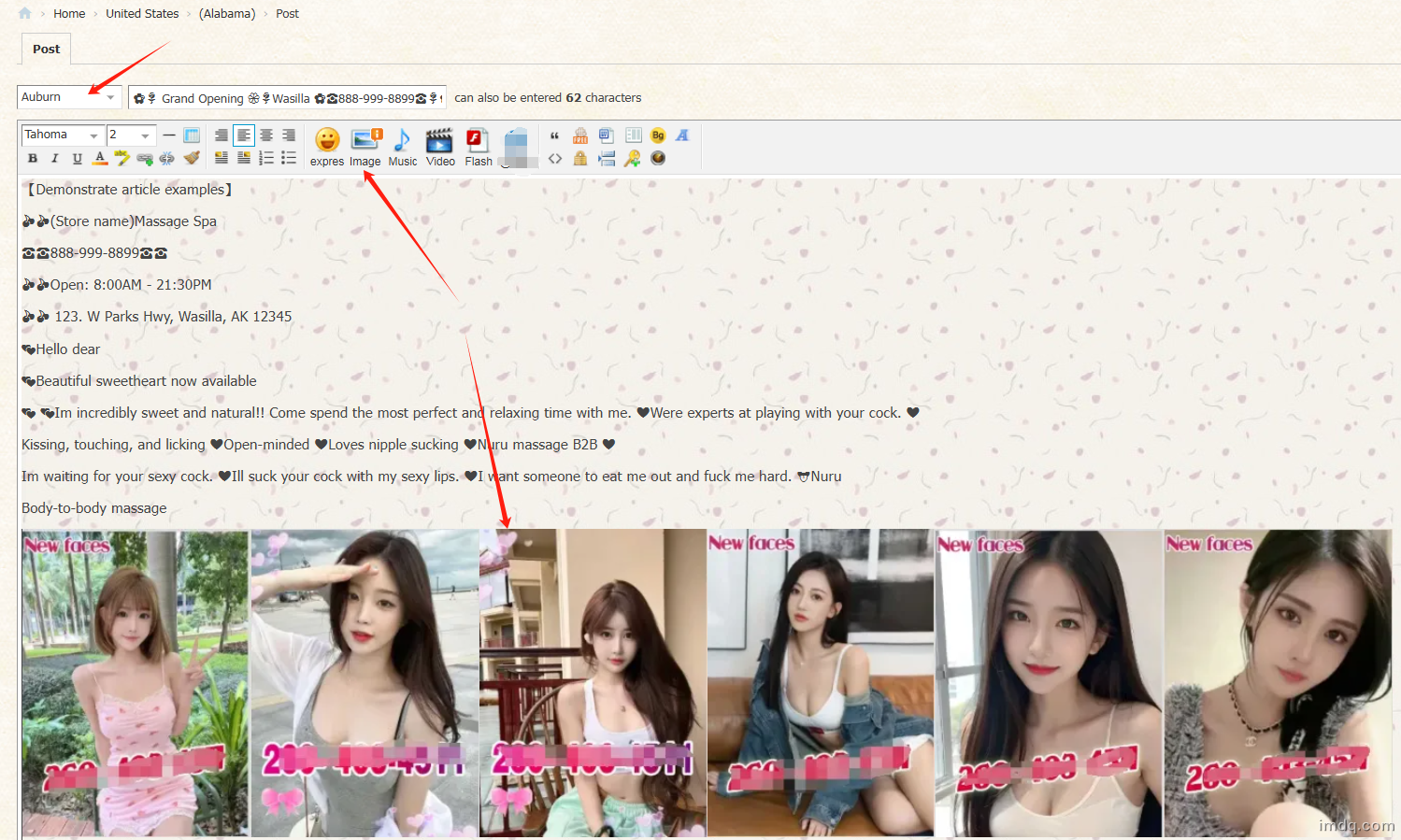
5.Demonstrates an example of a published article.
(As shown)
image.png
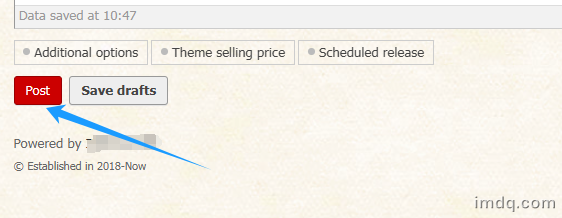
6.Click Publish Post (As shown)
image.png
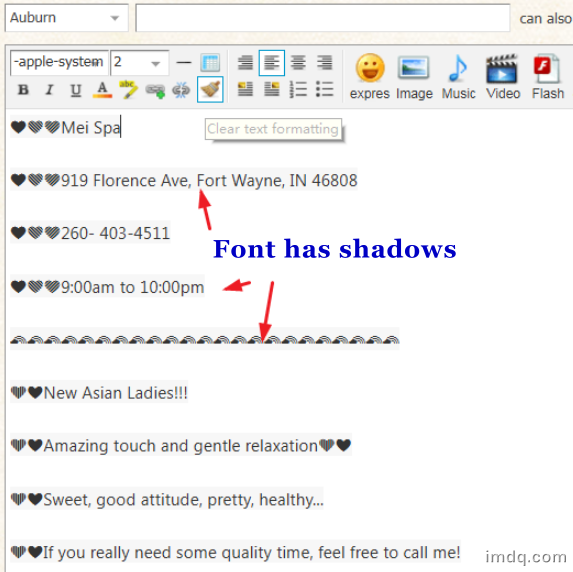
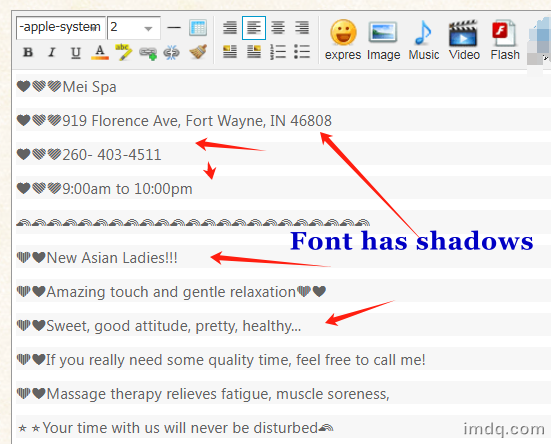
【7】If there is a display problem with the text data you copied and pasted.
The format is wrong, garbled, shadowed, etc.
(As shown)Font has shadows.
image.png image.png
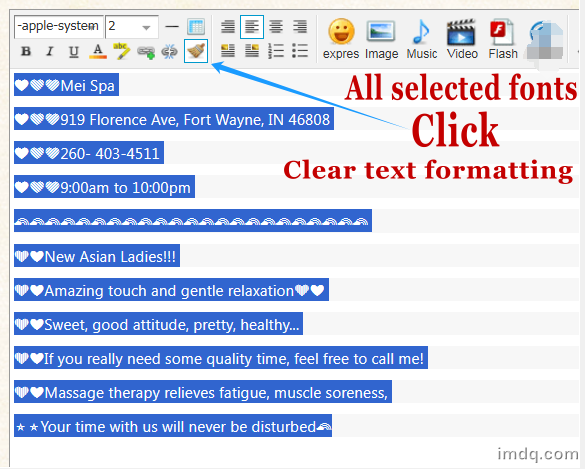
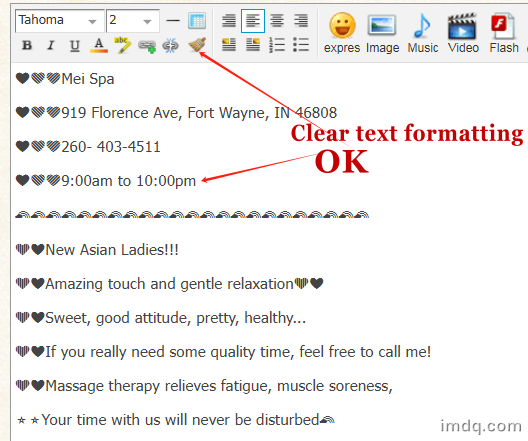
【8】All selected fonts→Click→Clear text formatting→OK
(As shown)

image.png image.png


Mention you saw this ad on imdq.com. The most popular advertising publishing platform welcomes everyone to place.

⚠Disclaimer|📱Mobile|www.imdq.com

GMT-5, 7-28-2026 01:39 , Processed in 0.045733 second(s), 7 queries , Redis On.

Powered by IMDQ.COM

© Established in 2018-Now

快速回复 返回顶部 返回列表